Chronicle KeeperScriptorium
Local-first · Offline · Open source

The worldbuilding workspace your campaign deserves.

Build your world as a wiki of Markdown pages — linked, mapped and plotted on a timeline — with an AI that has read all of it and keeps the canon current. Everything is plain files on your disk, and your recordings fold in as session notes too.

Download for your OS Read the docs macOS · Windows · Linux
chronicle-keeper
Meepo · npc
Codex / Kobolds · linked from 6 pages
Kobold keeper of the dead, ally of the party in the Sunless Citadel. Wants his dragon Calcryx back from the Durbuluk goblins.
⌘J

The Keeper

asks & edits

🗺

Atlas

pinned maps

Timeline

world calendar

Graph

every link

Why Chronicle Keeper

One workspace for the whole world.

A linked wiki, the maps, the timeline and an AI that knows all of it — kept as plain Markdown files you own, on a machine you control.

Your world as Markdown

Every NPC, place and faction is an editable page with [[wikilinks]], infoboxes and backlinks. Files are truth — a portable folder you can open in Obsidian or back up yourself.

The Keeper, your AI

An assistant that has read your whole world. Ask it anything and it answers with citations; let it update the codex after a session — every edit a reviewable diff with full undo.

Maps, timeline & graph

Pin cities on your own maps, plot events on a custom calendar, and watch the whole web of relationships in a force-directed graph — all computed live from your pages.

Local-first & private

Everything runs on your device and works fully offline — no Chronicle Keeper server, ever. Your world is a plain folder, so sync it across machines with Syncthing or any tool you trust.

Bring your own LLM

Run a local model with Ollama for free, or paste an Anthropic / OpenAI-compatible key. Your keys stay on-device and calls go straight from your machine.

Recordings become canon

Drop in a Craig Bot recording and Chronicle Keeper transcribes it on-device (Parakeet, 25 languages, no GPU), writes the summary, then folds what happened back into your world.

A look inside

Your whole world, in one app.

Pages, maps, a timeline and a graph — every view computed live from the same Markdown files. Here's what that looks like.
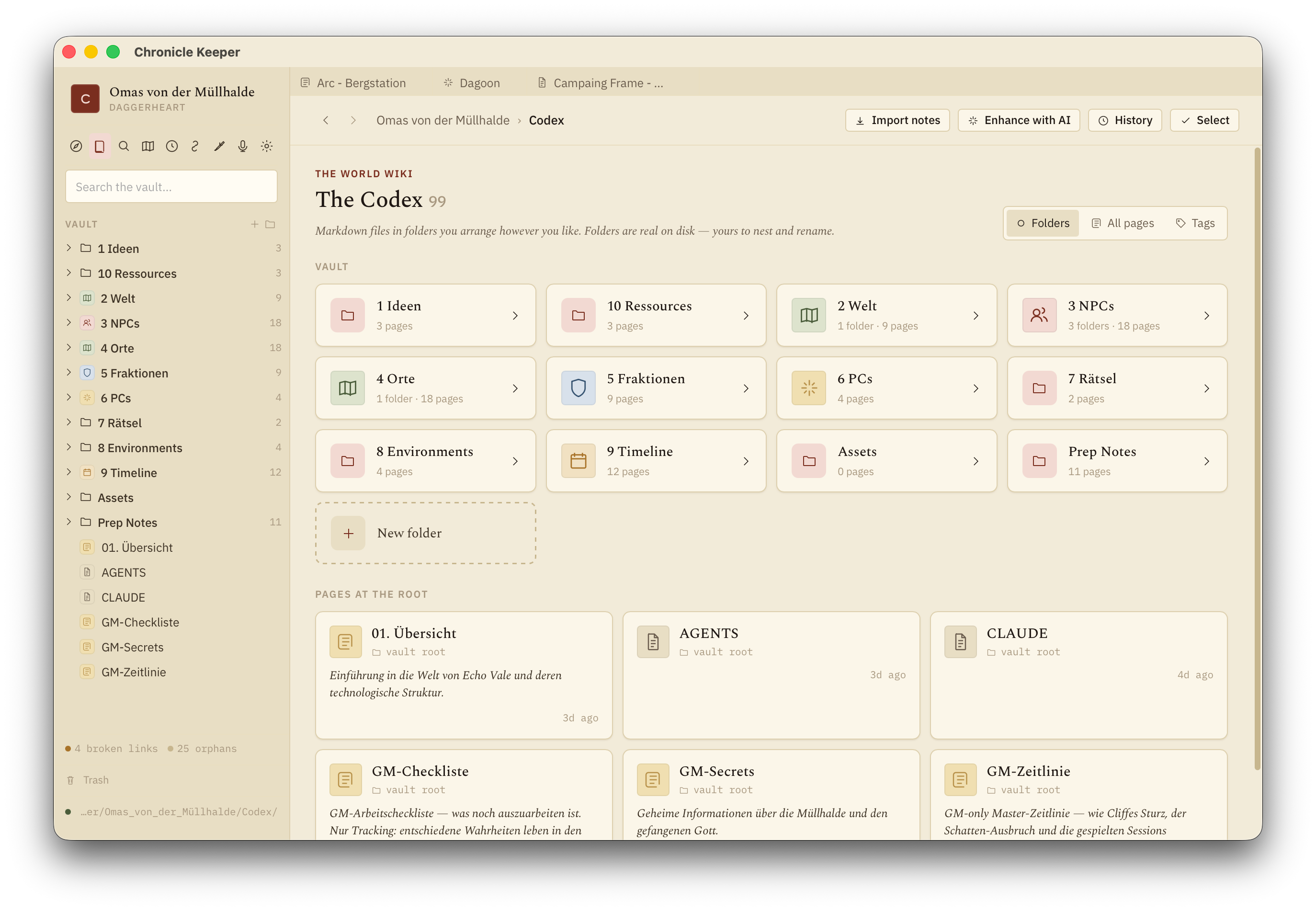
The Codex — folders of wiki pages

The Codex

Your world as a folder of wiki pages — NPCs, places, factions, lore — linked with [[wikilinks]].
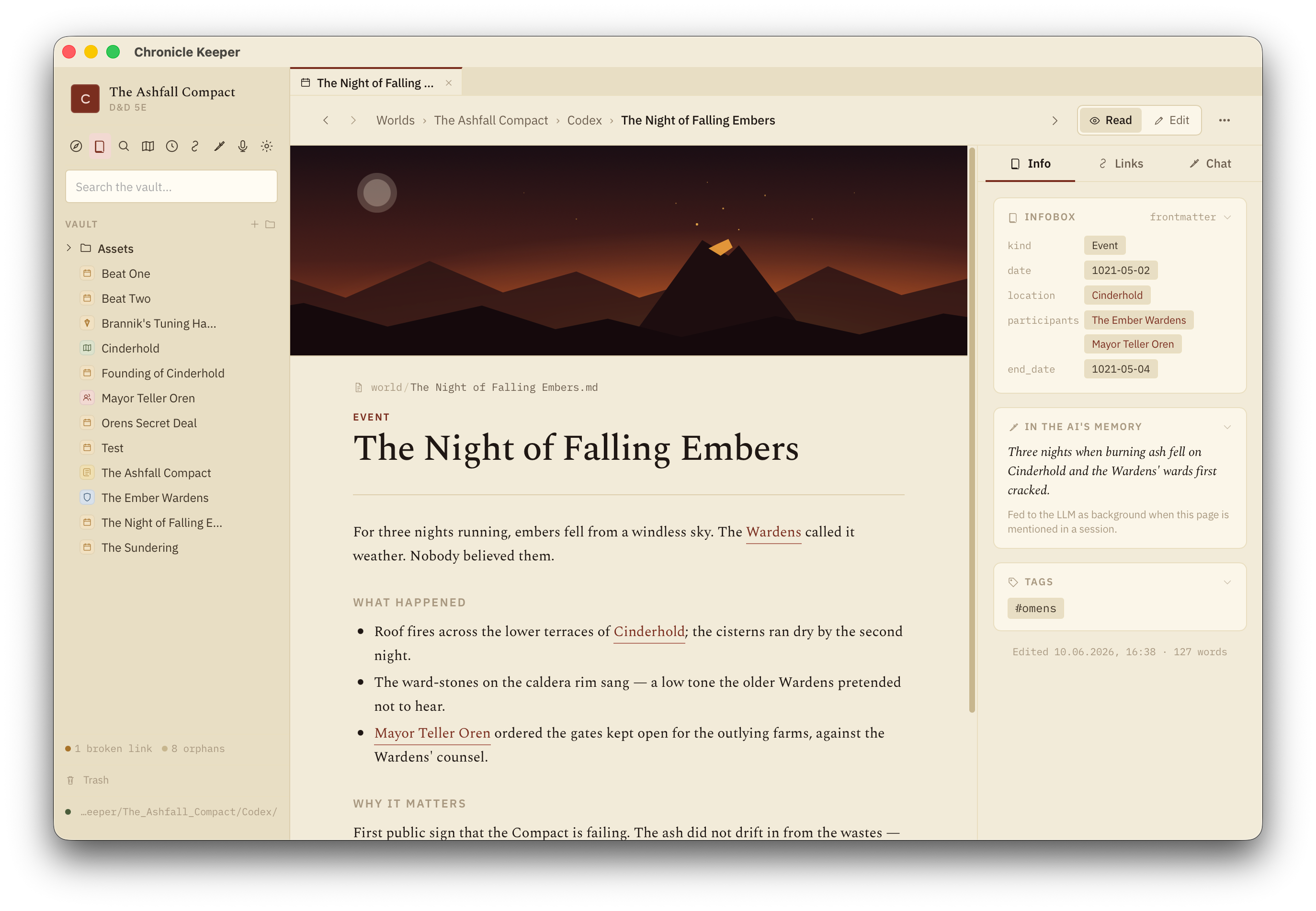
A wiki page with banner, infobox and AI memory

Pages

Editable Markdown with an infobox, backlinks, banner art and the one-liner the AI remembers.
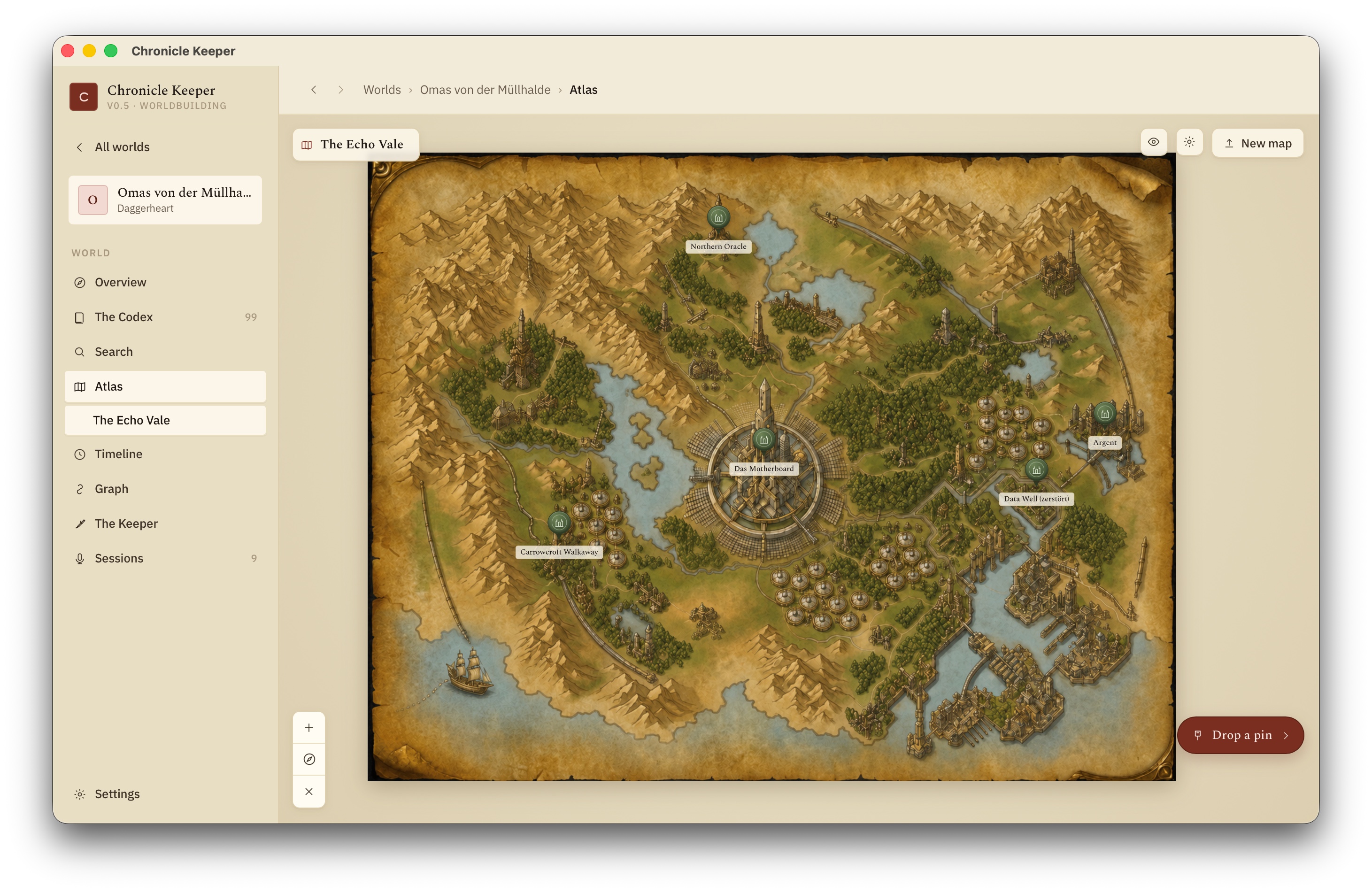
The Atlas — a map with pins

The Atlas

Pin places onto your own maps. Each pin is a codex page; maps nest from continent to city.
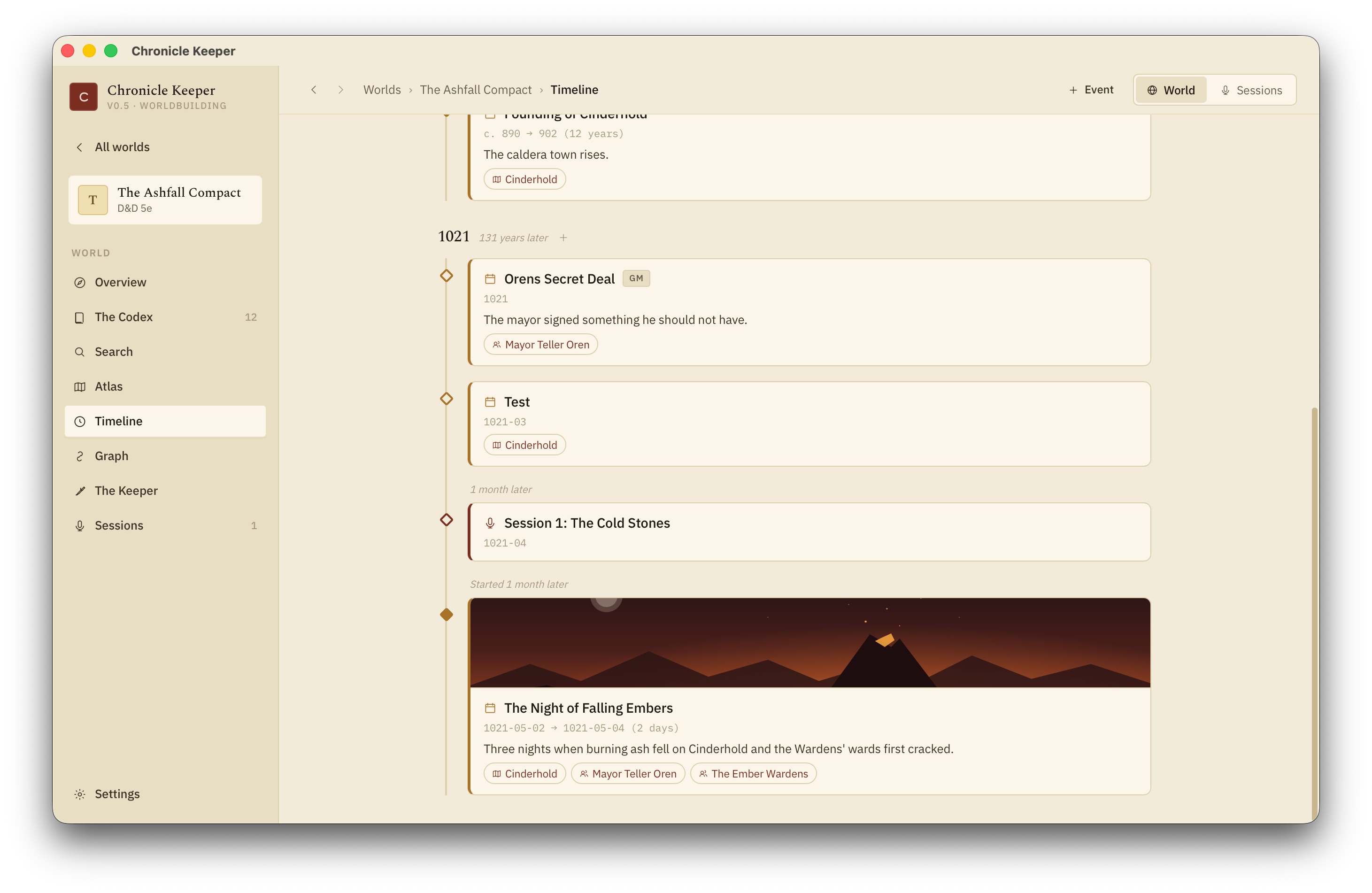
The Timeline on an in-world calendar

The Timeline

Dated pages on your world's own calendar — eras, spans and "years later" gaps.
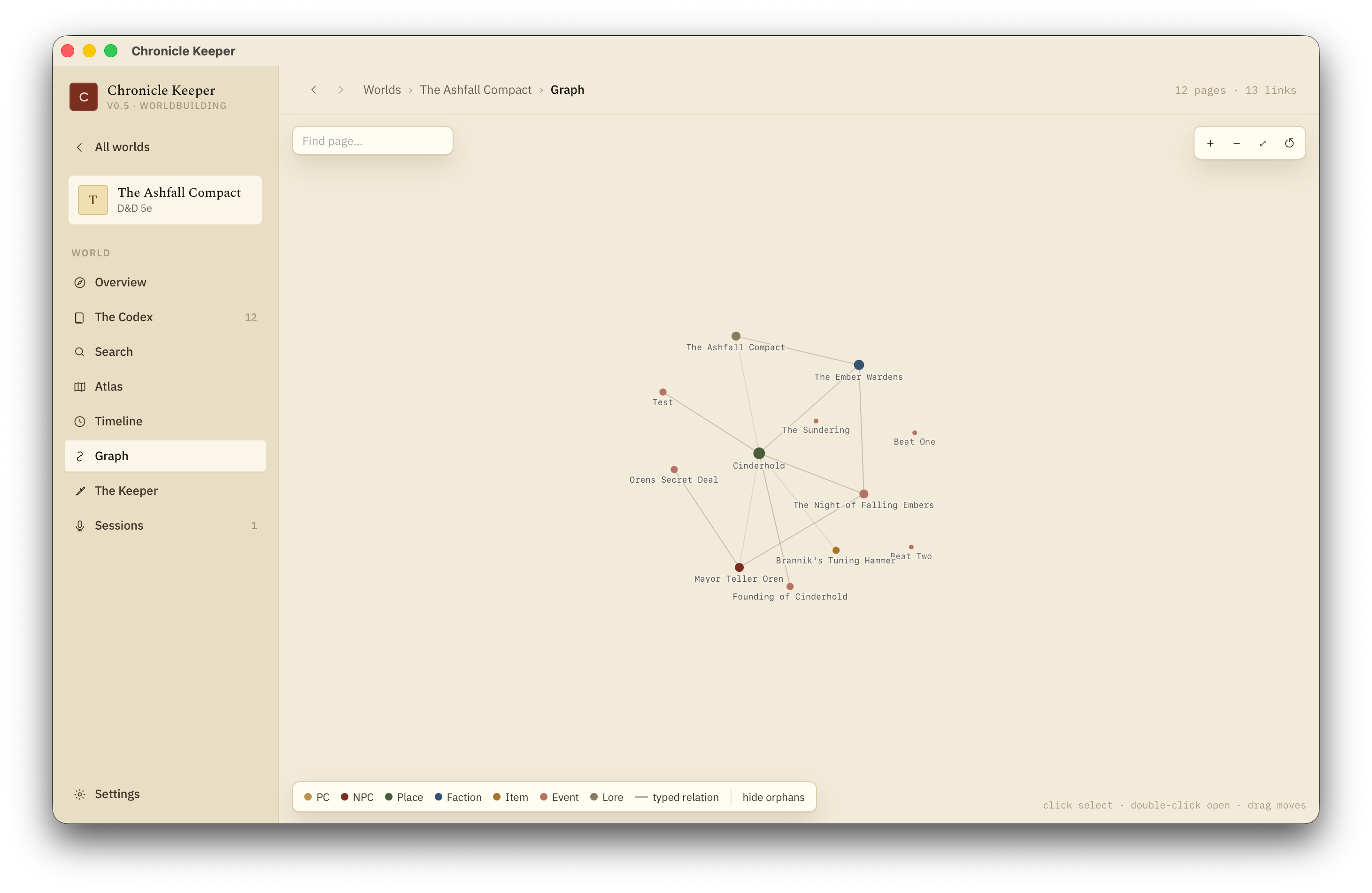
The graph of pages and links

The Graph

The whole web of characters, factions and places — coloured by kind, linked by relation.
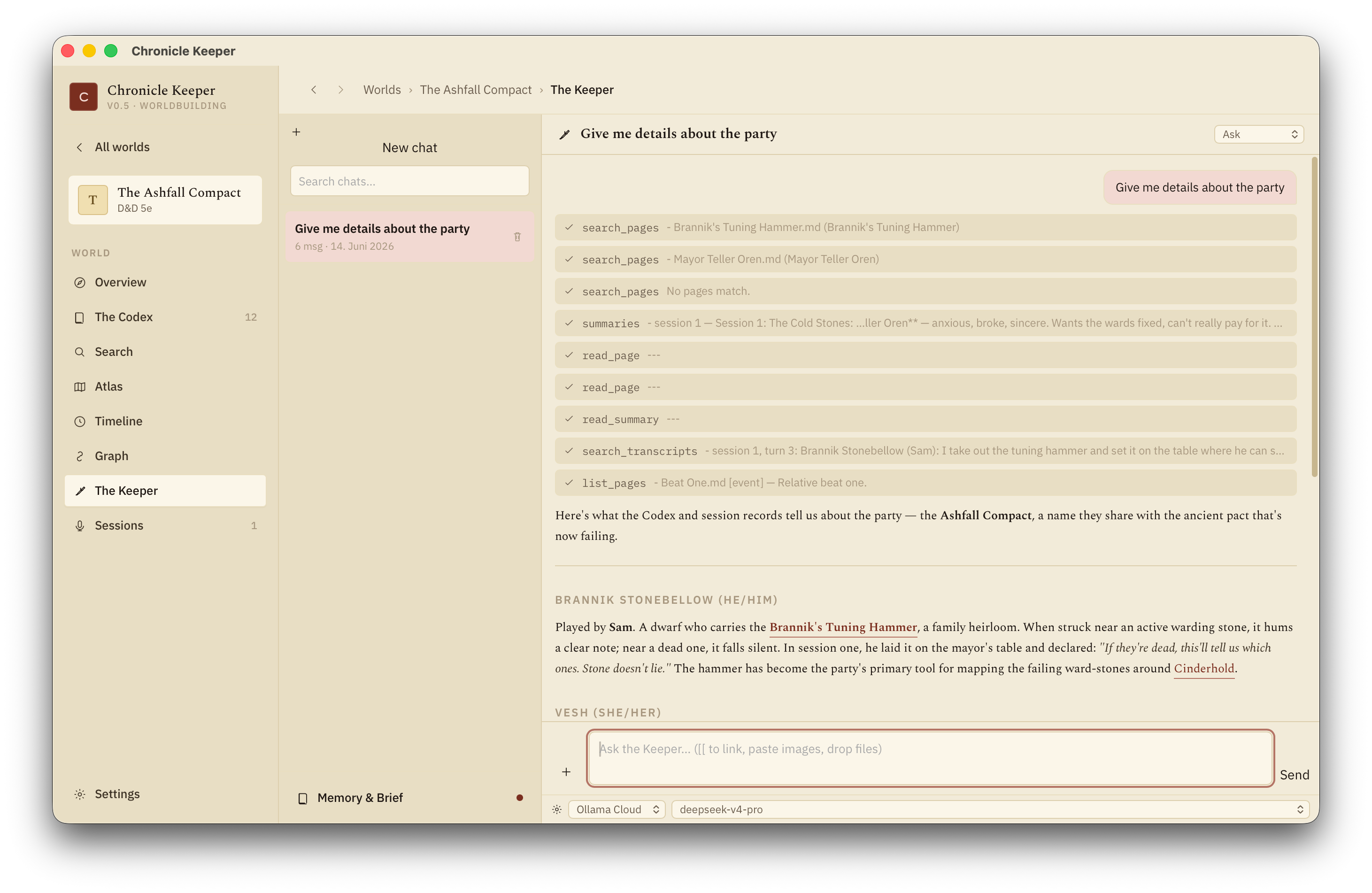
The Keeper AI assistant

The Keeper

An AI that has read your whole world — answers with citations and edits the codex with your approval.

Explore the docs
Also built in · session notes

Recordings become canon, automatically.

Chronicle Keeper started as a session-notes tool, and that pipeline is still here — now it feeds your world. Drop in a Craig recording and it transcribes on-device, summarizes, and the Keeper folds what happened into your wiki. Most of it is one click.

01

Upload

Drop in the ZIP your Craig Bot recording produces — one audio track per speaker.

02

Label

Tell it who each track belongs to. The model fills in the rest.

03

Transcribe

Every track is transcribed on-device — fast, offline, no diarization needed.

04

Summarize

Your chosen LLM writes a structured recap, names corrected from your world.

05

Fold in

The Keeper proposes codex edits from the session — you approve what's canon.

Walk through it step by step
Bring your own brain

Free and local, or any cloud key you like.

Transcription runs on-device; you decide which model powers the Keeper, the summaries and the codex edits — and the keys never leave your computer.

Free

Ollama (local)

Run an open model entirely on your machine. No key, no bill, no internet required after the model is pulled.

Set up Ollama →

Cloud

Anthropic Claude

Paste an API key for top-tier summaries. The native Messages API is built in.

Get an Anthropic key →

Cloud

OpenAI-compatible

OpenAI, Groq, DeepSeek, Mistral, Together, Perplexity, MiniMax or Gemini's compat endpoint — one client covers them all.

Pick a provider →

Build the world. Keep the chronicle.

Free, open source, and built with ❤️ from Germany. An AI-assisted home for your campaign — files you own, on a machine you control.